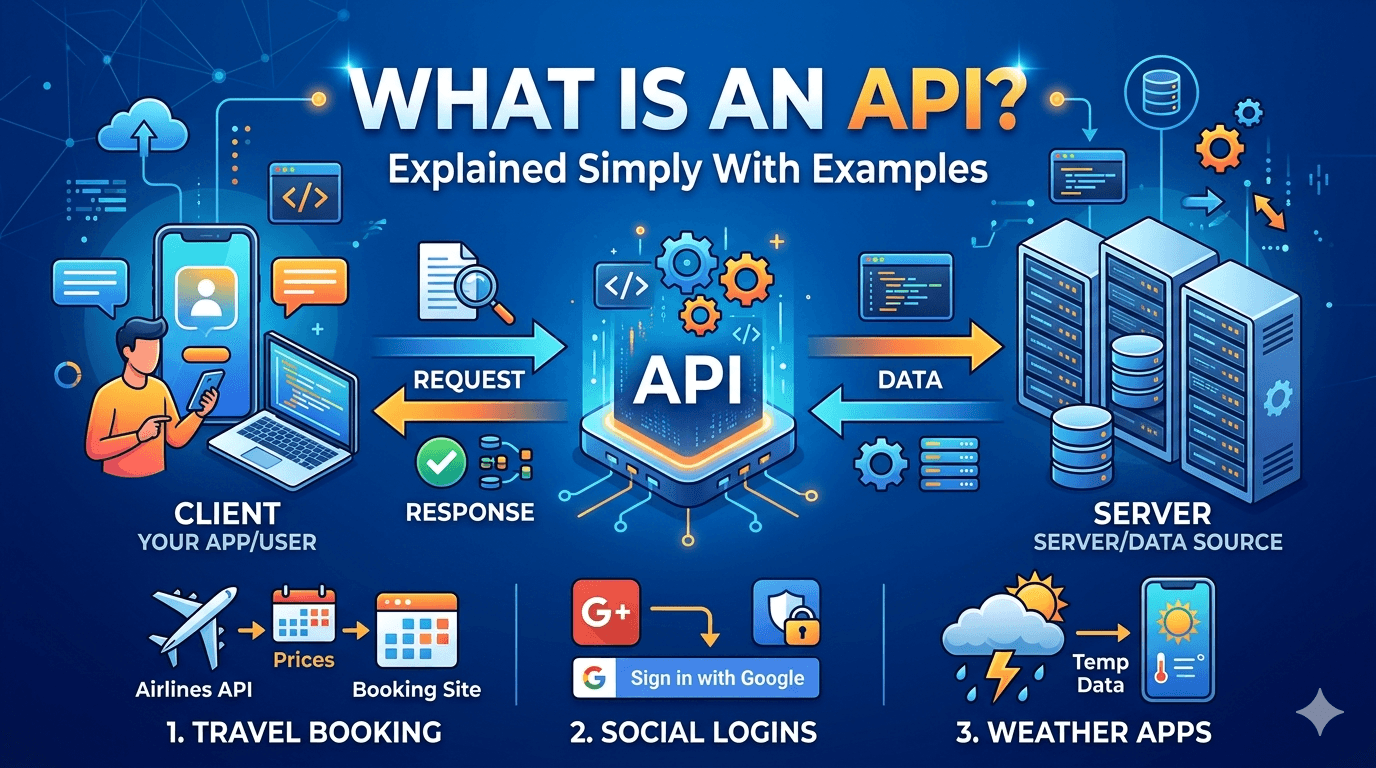
Reading about REST APIs is one thing. Building one end-to-end is where the understanding actually lands.
This tutorial skips the theory preamble and gets straight to code — a working REST API built with Node.js and Express, starting from an empty folder. By the end you’ll have a fully functional API with routes, request handling, a database connection, and proper error handling. Every code block is real, runs as written, and is explained line by line where the behavior isn’t obvious.
What you need before starting:
- Node.js installed (version 18 or higher — run
node --versionto check) - npm (comes bundled with Node.js)
- A code editor (VS Code recommended)
- Basic familiarity with JavaScript — functions, objects, arrow functions
The Project: A Books API
Rather than building a toy “hello world” API that teaches nothing transferable, we’re building a Books API — endpoints to create, read, update, and delete book records. This maps directly to real-world API patterns you’ll encounter in professional codebases.
By the end, our API will handle:
GET /books— return all booksGET /books/:id— return a specific bookPOST /books— add a new bookPUT /books/:id— update an existing bookDELETE /books/:id— remove a book
Step 1: Initialize the Project
Open your terminal, create a project folder, and set it up:
bash
mkdir books-api
cd books-api
npm init -y
npm init -y creates a package.json with default values — the configuration file that tracks your project’s dependencies and scripts.
Install Express and a few essential packages:
bash
npm install express
npm install --save-dev nodemon
Express is the web framework — it handles routing, middleware, and HTTP request/response management. Nodemon is a development tool that automatically restarts the server whenever you save a file, eliminating the manual stop-and-restart cycle.
Open package.json and add a start script:
json
{
  "scripts": {
    "start": "node server.js",
    "dev": "nodemon server.js"
  }
}
Step 2: Create the Express Server
Create server.js in the project root:
javascript
const express = require('express');
const app = express();
const PORT = process.env.PORT || 3000;

// Middleware
app.use(express.json());

// Basic health check route
app.get('/', (req, res) => {
  res.json({ message: 'Books API is running' });
});

// Start server
app.listen(PORT, () => {
  console.log(`Server running on http://localhost:${PORT}`);
});
Let’s unpack what’s happening:
const app = express() — creates an Express application instance. This is the object you add routes and middleware to.
app.use(express.json()) — this is middleware. Middleware functions run on every incoming request before it reaches your route handler. express.json() specifically parses incoming request bodies as JSON — without this, req.body would be undefined when a client sends JSON data. This one line is the cause of more “why is my req.body empty?” confusion among beginners than almost anything else in Express.
app.get('/', (req, res) => {...}) — defines a route. When a GET request arrives at the / path, the callback function runs. req contains the incoming request data; res provides methods to send a response.
app.listen(PORT, ...) — starts the HTTP server, binding it to the specified port.
Run the development server:
bash
npm run dev
Open your browser or a tool like Postman and visit http://localhost:3000 — you should see {"message": "Books API is running"}.
Step 3: Set Up an In-Memory Data Store
For this tutorial, we’ll use an in-memory array instead of a real database — which keeps the focus on Express patterns rather than database setup. In the next step, we’ll discuss how to swap this for a real database.
Create a data.js file:
javascript
let books = [
  {
    id: 1,
    title: 'The Pragmatic Programmer',
    author: 'David Thomas',
    year: 1999,
    available: true
  },
  {
    id: 2,
    title: 'Clean Code',
    author: 'Robert Martin',
    year: 2008,
    available: true
  },
  {
    id: 3,
    title: 'You Don\'t Know JS',
    author: 'Kyle Simpson',
    year: 2015,
    available: false
  }
];

module.exports = { books };
Step 4: Define the Routes
Create a routes/books.js file. Separating routes into their own files is the pattern used in virtually every real Express project — it keeps server.js clean and makes the codebase navigable as it grows.
javascript
const express = require('express');
const router = express.Router();
const { books } = require('../data');

// GET /books — return all books
router.get('/', (req, res) => {
  res.json({
    count: books.length,
    data: books
  });
});

// GET /books/:id — return a specific book
router.get('/:id', (req, res) => {
  const id = parseInt(req.params.id);
  const book = books.find(b => b.id === id);

  if (!book) {
    return res.status(404).json({ error: `Book with id ${id} not found` });
  }

  res.json(book);
});

// POST /books — create a new book
router.post('/', (req, res) => {
  const { title, author, year } = req.body;

  if (!title || !author || !year) {
    return res.status(400).json({
      error: 'title, author, and year are required fields'
    });
  }

  const newBook = {
    id: books.length > 0 ? Math.max(...books.map(b => b.id)) + 1 : 1,
    title,
    author,
    year: parseInt(year),
    available: true
  };

  books.push(newBook);
  res.status(201).json(newBook);
});

// PUT /books/:id — update a book
router.put('/:id', (req, res) => {
  const id = parseInt(req.params.id);
  const bookIndex = books.findIndex(b => b.id === id);

  if (bookIndex === -1) {
    return res.status(404).json({ error: `Book with id ${id} not found` });
  }

  const updatedBook = {
    ...books[bookIndex],
    ...req.body,
    id  // ensure id can't be overwritten
  };

  books[bookIndex] = updatedBook;
  res.json(updatedBook);
});

// DELETE /books/:id — remove a book
router.delete('/:id', (req, res) => {
  const id = parseInt(req.params.id);
  const bookIndex = books.findIndex(b => b.id === id);

  if (bookIndex === -1) {
    return res.status(404).json({ error: `Book with id ${id} not found` });
  }

  const deleted = books.splice(bookIndex, 1)[0];
  res.json({ message: `'${deleted.title}' deleted successfully` });
});

module.exports = router;
Several patterns worth noting here:
req.params.id — URL parameters (the :id in the route definition) are accessible on req.params. They always arrive as strings, which is why we wrap in parseInt() before comparing to numeric IDs.
req.body — request body data from POST and PUT requests, parsed as JSON because of the express.json() middleware we added in Step 2.
res.status(404).json({...}) — chaining .status() before .json() sets the HTTP status code. Always set appropriate status codes: 200 for success, 201 for resource created, 400 for bad client request, 404 for not found, 500 for server error. Clients — whether a browser, mobile app, or another service — rely on status codes to understand what happened, not just the response body.
return res.status(404).json({...}) — the return before res is important. Without it, Node.js would continue executing the rest of the route handler after sending the 404 response, potentially causing a “headers already sent” error if another res.json() is reached.
The spread operator in PUT — { ...books[bookIndex], ...req.body, id } merges the existing book with the request body, then enforces that the id field from the URL parameter takes precedence over any id in the request body. This prevents clients from reassigning IDs through the update endpoint.
Now register the router in server.js:
javascript
const express = require('express');
const app = express();
const PORT = process.env.PORT || 3000;
const bookRoutes = require('./routes/books');

app.use(express.json());

app.get('/', (req, res) => {
  res.json({ message: 'Books API is running' });
});

// Mount book routes at /books
app.use('/books', bookRoutes);

app.listen(PORT, () => {
  console.log(`Server running on http://localhost:${PORT}`);
});
app.use('/books', bookRoutes) mounts the router at the /books prefix. Every route defined in routes/books.js is now accessible under /books — so router.get('/') responds to GET /books, router.get('/:id') responds to GET /books/:id, and so on.
Step 5: Add Error Handling Middleware
Every production Express API needs centralized error handling — a catch-all that handles unexpected errors gracefully rather than exposing stack traces or crashing.
Express has a special convention for error-handling middleware: it takes four parameters (err, req, res, next) instead of the usual three. Express identifies it as an error handler by the four-parameter signature.
Add this to server.js, after your routes:
javascript
// 404 handler — catches requests to undefined routes
app.use((req, res) => {
  res.status(404).json({ error: `Route ${req.method} ${req.url} not found` });
});

// Global error handler — catches errors passed via next(err)
app.use((err, req, res, next) => {
  console.error(err.stack);
  res.status(err.status || 500).json({
    error: err.message || 'Something went wrong on our end'
  });
});
The 404 handler catches any request that doesn’t match a defined route — providing a clean JSON response instead of Express’s default HTML error page.
The global error handler is invoked when any route calls next(err) with an error argument. To use it from a route:
javascript
router.get('/:id', (req, res, next) => {
  try {
    const id = parseInt(req.params.id);
    const book = books.find(b => b.id === id);

    if (!book) {
      return res.status(404).json({ error: `Book with id ${id} not found` });
    }

    res.json(book);
  } catch (err) {
    next(err);   // passes error to the global handler
  }
});
Wrapping route logic in try/catch and passing unexpected errors to next(err) is the standard Express error handling pattern.
Step 6: Testing Your API
With nodemon running, test each endpoint. You can use Postman, Insomnia, or curl:
bash
# Get all books
curl http://localhost:3000/books

# Get a specific book
curl http://localhost:3000/books/1

# Create a new book
curl -X POST http://localhost:3000/books \
  -H "Content-Type: application/json" \
  -d '{"title": "Refactoring", "author": "Martin Fowler", "year": 1999}'

# Update a book
curl -X PUT http://localhost:3000/books/1 \
  -H "Content-Type: application/json" \
  -d '{"available": false}'

# Delete a book
curl -X DELETE http://localhost:3000/books/2

# Test 404 handling
curl http://localhost:3000/books/999
Verify that each endpoint returns the correct data and the correct HTTP status code. Status codes are as important as response bodies — they’re part of the API contract.
Step 7: Connecting a Real Database
The in-memory store works for learning, but data disappears every time the server restarts. For a real application, you’d connect a database. Here’s the pattern using MongoDB with Mongoose — the most common Node.js database combination:
bash
npm install mongoose
In a real database-connected version, you’d replace the in-memory array with a Mongoose model:
javascript
// models/Book.js
const mongoose = require('mongoose');

const bookSchema = new mongoose.Schema({
  title:     { type: String, required: true },
  author:    { type: String, required: true },
  year:      { type: Number, required: true },
  available: { type: Boolean, default: true }
}, { timestamps: true });

module.exports = mongoose.model('Book', bookSchema);
And connect in server.js:
javascript
const mongoose = require('mongoose');

mongoose.connect(process.env.MONGODB_URI)
  .then(() => console.log('Connected to MongoDB'))
  .catch(err => console.error('MongoDB connection error:', err));
Your route handlers would then use Book.find(), Book.findById(), Book.create(), Book.findByIdAndUpdate(), and Book.findByIdAndDelete() instead of array methods — with async/await to handle the asynchronous database operations.
The structural patterns — router files, middleware, error handling, status codes — remain identical regardless of which database you use. Learning them with the in-memory store means the transition to MongoDB, PostgreSQL, or SQLite is a database-syntax change, not an architecture change.
The Complete File Structure
books-api/
├── node_modules/
├── routes/
│   └── books.js
├── models/
│   └── Book.js       (for real database)
├── data.js           (in-memory store)
├── server.js
└── package.json
This structure — separating routes, models, and server setup into distinct files — is the minimum viable organization for a maintainable Express project. As the API grows, you’d add a controllers/ folder to separate route logic from HTTP handling, a middleware/ folder for authentication and validation, and potentially a config/ folder for environment-specific settings.
What You’ve Built
In roughly 150 lines of actual code, split across a clean file structure, you have:
A working HTTP server that handles five distinct endpoints implementing the full CRUD contract. Input validation that returns informative 400 errors rather than crashing. Proper HTTP status codes on every response. A 404 handler for undefined routes. A global error handler for unexpected failures. A clear database migration path when the in-memory store isn’t enough.
This is the skeleton of every real REST API — not a simplified teaching example, but the actual architectural pattern used in production backends. The next layer is authentication (JWT tokens, session management), which builds directly on the middleware pattern you’ve already used here.
Up next: How to Write a Winning Ecommerce Business Plan — what investors and banks actually want to see, with a practical template for solo founders.